R2ModMan v3.2.15 – Download Free & Latest Version Of Mod Manager For Unity Games
R2ModMan, also called R2 Mod Manager or r2 modman, is a free, safe mod manager that helps you install, manage, and organize game mods without touching your original game files. It works with games that support BepInEx or Thunderstore mods, including Risk of Rain 2, Valheim, Lethal Company, and Dyson Sphere Program.

Download R2modman Latest Version
| Detail | Information |
|---|---|
| Version | 3.2.15 |
| Developer | ebkr |
| Release Date | 26 March, 2026 |
| Size | 126 MB (Windows) / 158 MB (Linux) |
| Dependency String | ebkr-r2modman-3.2.15 |
| Category | Tools |
| Main Changes | – Added new game support (including Crawlspace and Big Ambitions) – Fixed Steam launch on Linux/Flatpak (xdg-open) – Restored profile UI alignment – Updated Thunderstore ecosystem data – Added game launch event emitter – Fixed mod update on RecursiveMelonLoader – Overall stability and bug fixes |
| Previous Fixes | Config Editor improvements (multi-select, spinner on large loads), Linux native/Proton detection fixes, and UI performance upgrades |
| Supported Platforms | – Windows (exe setup) – Linux (AppImage, deb, rpm, pacman, tar.gz) – Flatpak |
| Auto-Update Feature | Yes – automatically updates when the app is closed |
| Key Features | – Support for multiple games (Risk of Rain 2, Dyson Sphere Program, Valheim, GTFO, BONEWORKS, etc.) – Clean user interface for easy modding – Safer mod installation – Mod profiles for quick switching – Export/Import mod profiles – Mod download, installation, and updating from the manager – Auto-updates – Config editor for in-app mod config editing |
| License | Open Source |
What Is The R2 Modman?
R2ModMan is a safe, powerful, all-in-one mod manager for Unity-based games like Valheim and Risk of Rain 2. It makes it easy to enjoy mods withoAut the hassle of manual setup, a must-have for anyone who loves customizing their gaming experience.
It keeps your game files protected by creating a separate space for mods, so your original game remains intact. You can add, remove, or update mods whenever you want without breaking anything.
One of the best things about R2ModMan is that you can make different mod profiles. For example, you can have one setup with lots of mods and another with just a few. You can switch between them at any time, depending on how you want to play.
It supports multiple mod profiles and works great for both gamers and developers. It also checks if your mods work well together, so your game doesn’t crash or glitch. Since the community regularly updates the tool, it always stays reliable and works with the latest games.
Users show their satisfaction with this mod manager on Reddit and other discussion platforms. Many players use it to manage and install mods for Lethal Company and other popular games.

Advanced Features of the R2 Mod Manager
Profiles Manager
The mod profile feature lets players create and switch between different mod sets for various laythroughs without reconfiguring each time.
Community Driven
It is regularly updated and supported by modders and gamers. The tool evolves to match users’ needs and game updates.
Supported Games
R2ModMan manager mainly supports games, like Risk of Rain 2, Ultrakill, and Valheim. It offers modding options for titles without native Steam Workshop support.
Easy to use
The simple design lets players install, manage, and remove mods easily. The clean interface connects directly to community mod repositories.
Safe and secure
This feature maintains game integrity by checking mod compatibility and alerting users to outdated or conflicting mods.
Mode Development Support
Beyond mod management, the R2 Modloader provides tools and integration for developers. It includes debugging options and support for mod development frameworks.
Simple Interface
Its simple, clean interface makes modding easier. Everything in this mod manager is well-organized to locate and use.
Share Mod Profiles
You can download mods and share the mod profiles and config with your friends directly from the manager.
Auto Updates
It offers an auto-update system to enjoy updated gaming mods with advanced features.
Cloud Sync
You can save your mod settings and profiles online, so they’re always ready no matter which PC you use. Switch between computers and pick up right where you left off — no setup headaches, no missing mods. Perfect if you play on more than one device.
Game-Agnostic Platform
This software works with tons of different games — from Risk of Rain 2 to Valheim and many more. You don’t have to install a new mod manager for every game. It offers modding options for titles without native Steam Workshop support. It keeps your original files untouched.
Open Source
R2ModMan is completely open source, and its full source code is publicly available on GitHub (ebkr/r2modmanPlus). Anyone can inspect, verify, and contribute to its development, making it one of the most transparent and trusted mod managers available.
Other Features
Exports files quickly
Edit configs from the manager
What is the R2Modman Installation Guide?
This mod manager can be downloaded on Windows and Linux. The download method for both devices differs significantly. This is the download guide if you are using it for the first time. Before starting the installation process, make sure you have installed the latest version of the .NET Framework on your PC.
For R2 Modman Windows
- Click on the download button to get the zip file.
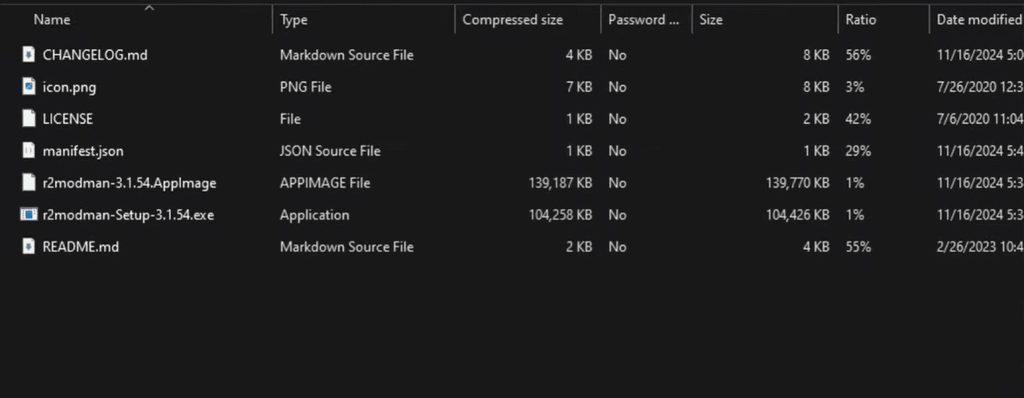
- Next, extract the Zip File to any folder.
- Open the extracted file and double-click on “R2modman Setup v3.2.15. exe”, its latest version.
- Now, follow the on-screen instructions in the installer to complete the setup.
- Provide necessary information — it will ask for permission to access it for a single user or all users. Ensure that it runs as an Admin.
- Now, choose the folder where you want to install it. Wait for a few minutes because it takes time.
For R2Modman Linux
- Click the “Download” button for Linux.
- Open the downloaded ZIP file.
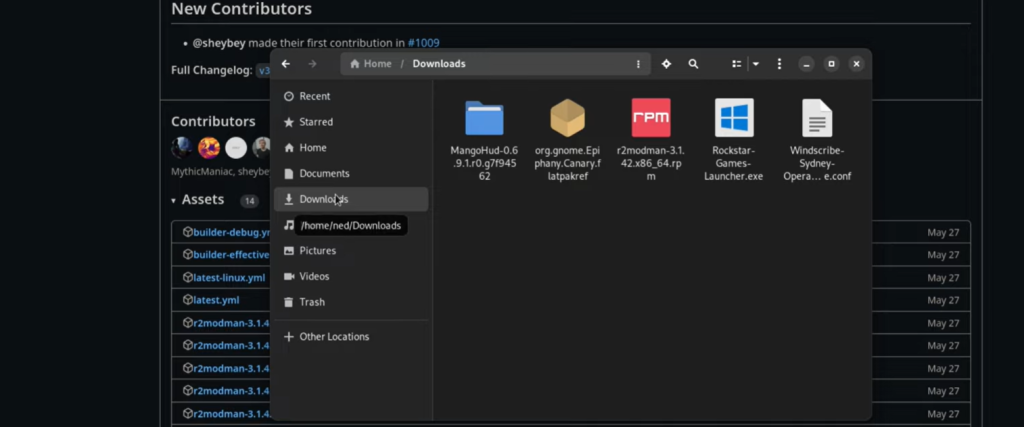
- Inside the download .zip file, there is an AppImage release.
- Make the AppImage executable — right-click the file, open properties, click on the Permission option, and press Allow Executing.
- Finally, run the AppImage to launch R2 Modmanager.
How to Install R2ModMan?
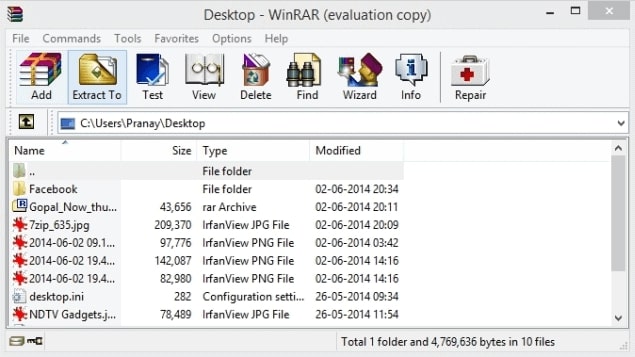
- Make sure your PC has the latest .NET Framework installed. Choose the latest version and download the file. It will download as a ZIP file. Extract the ZIP file into a new folder.
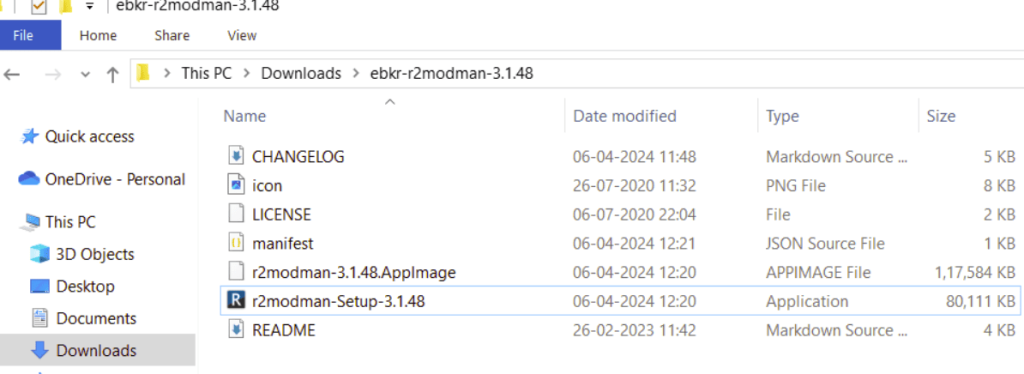
- Open the folder and double-click the R2ModMan setup file. Allow permission when Windows asks (run as administrator if needed). Choose whether to install it for one user or all users.
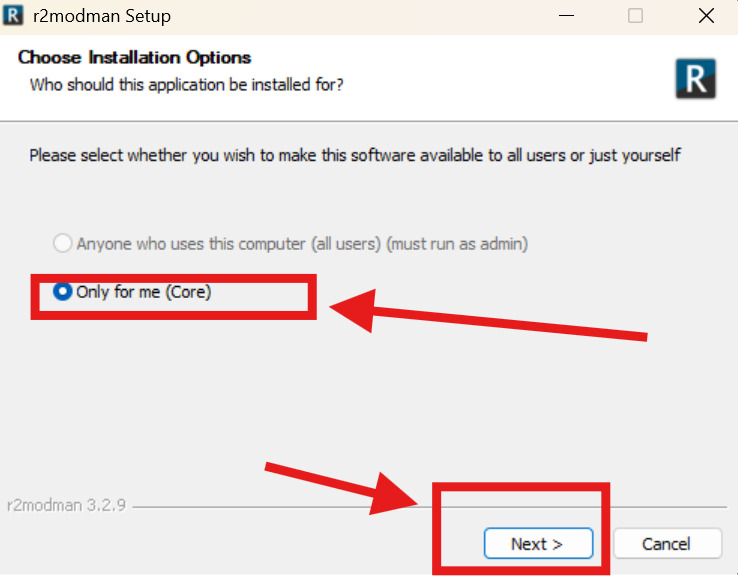
- Select the folder where you want to install the program. Wait a few seconds for the installation to finish.

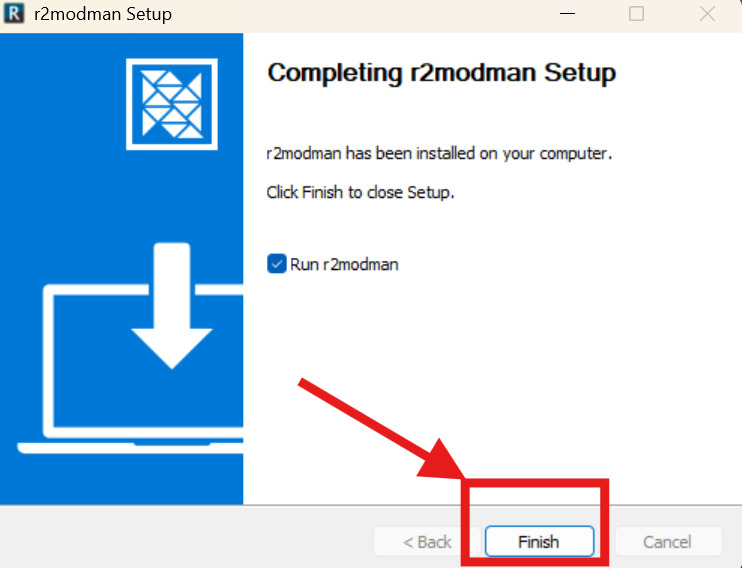
- Once done, open R2ModMan and start managing your game mods.
How To Get Started With The R2Modman Mod Manager?
After installing this manager, you can start with Risk of Rain 2 mod.
How To Update R2modman?
It’s simple, but there are two ways to update the R2Modman Manager:
Method 1: One By One
- Open the desired profile for which you want to update the mods.
- Click the “Install” button.
- Select your favorite mod with the cloud icon.
- Press the “Update” option.
- Press the “Update All Mods” option.
- Finally, confirm “Download with Dependencies”.
Another thing is to click on the Cloud option to update directly without wasting time.

Method 2: All at Once
- Open the desired profile for which you want to update the mods.
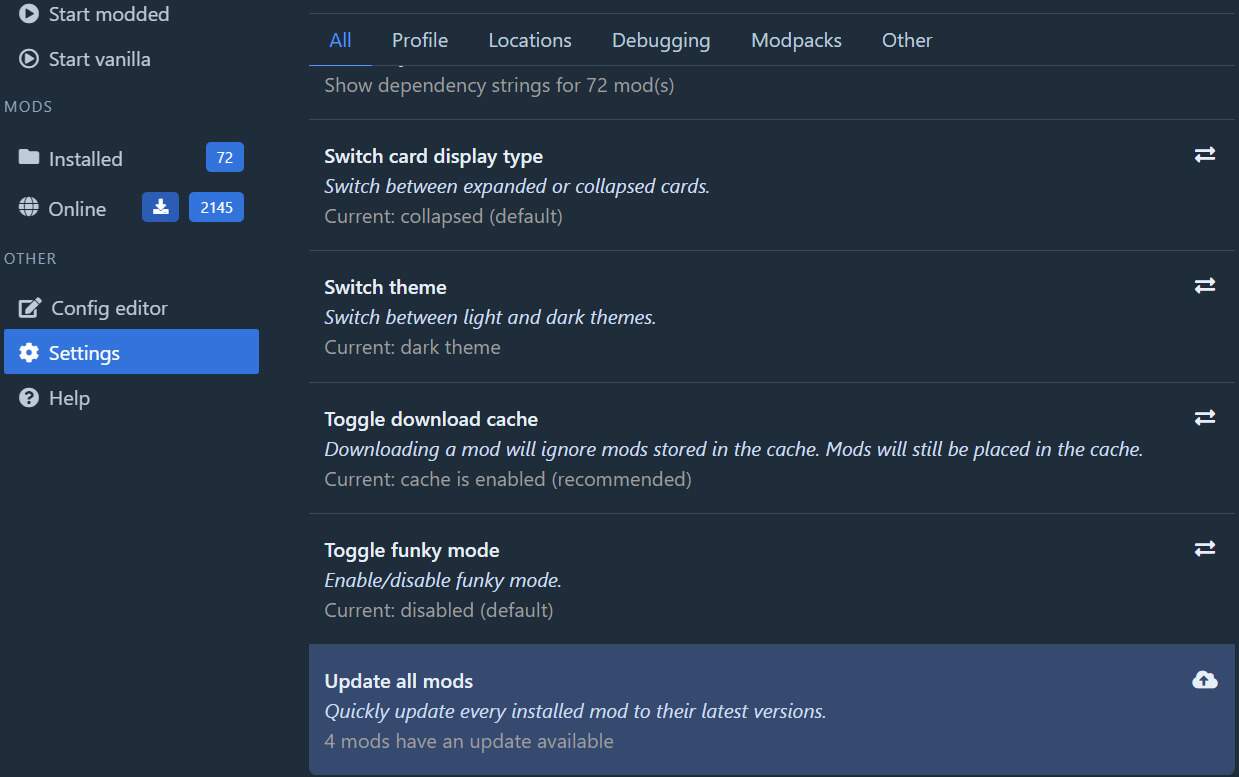
- Go to the “settings”
- Click on the “All” tab from the dropdown section.
- Press the “Update All Mods” option.
- Now, click on “Update All” to confirm it.
The one-by-one method is recommended to confirm which mods are being updated, for general security, and mod changes.
If you are still having update issues? Check our troubleshooting →
How To Configure R2modman Mods?
- First, choose the profile whose mod settings you want to configure.
- Go to the “Settings” section.
- Press the “Location” tab.
- Now, open the “Browser profile folder.”
- Look for the “\BepInEx\confg.”
- Open the correct config for the mod you desired to configure with any text editor.
- Click on the save option after configuration.
How To Start Play
- For this, open your desired profile.
- Hit the option, “Start Modded.”
- Wait a few seconds for the appearance of the title screen.
- Start playing.
How To Share Mod List With Your Friends| Export Mod List
Here are the steps to follow:
- Choose your desired profile and open the Settings.
- Click on the “Profile” option.
- Hit “Export Profiles as a code”
- Now, share that code with your friends by pressing ctrl+v.
What should they do after getting the R 2 MOD Man code?
If they are using the profile; they should follow the steps after getting that code:
- Open the Settings and click on Profile.
- Click “Change Profile”
- Press “Import” and then “From Code”
- Wait a few seconds for the mods and configs to download.
- Now, everything is done.
Note that the code will remain for an hour. If you want a longer code, use the file option instead.
How to Switch Profiles?
“I need help, I’ve chosen the wrong profile? What to do now?”
Relax, switching profiles is easy! You can change or switch profiles by following the given steps:
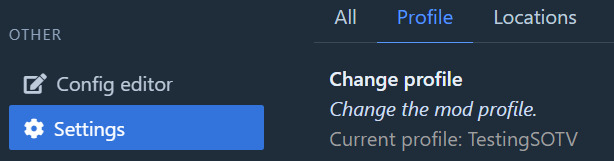
- Open the “Settings”
- Go to the “Profile” tab.
- Press “Change Profile”
- Now, it's done.
How to change Dark Mode?
If you want to quickly change from bright screen to dark mode, follow the guidance:
- Choose your desired profile
- Open settings
- Hit the tab, “Others”
- Now, click “Switch Theme”
What is R2ModMan Peak?
R2ModMan Peak means using a simple tool called R2ModMan to add mods (extra game features) to the game Peak. The latest version of this tool, v3.2.15, was released on 26 March 2026 and supports the Peak game. One famous mod is Peak Unlimited, which lets you play with more than four people at once. Normally, the game allows only four players, but this mod removes that limit — so you can have bigger, more fun matches!
How Does R2ModMan Work with Peak?
This is an advanced version with extra features. When you use R2ModMan with Peak, you can:
- Add new mods easily without breaking the game.
- Play with more than 4 players using the Peak Unlimited mod.
- Turn mods on or off anytime you want.
- Keep your game safe since R2ModMan stores mod files separately.
Why Do Players Use It?
People love R2ModMan because it makes modding super simple. Here’s why it’s so popular:
- You can play Peak with more friends.
- Mods add cool features like better visuals and fun new tools.
- You don’t need any tech skills — everything is automatic.
- Players love this version due to its stability and fast speed.
What are the supported games for the R2Mod Manager?
It supports Unity-based games for modding. Some games are fully supported, and some are partially.
| Game Title | Support Type | Description |
|---|---|---|
| Risk of Rain 2 | Full Support | Manage, install, and organize mods easily in the R2 Modloader |
| Valheim | Full Support | Customize gameplay with a variety of community-made mods |
| Dyson Sphere Program | Full Support | Add tools and tweaks |
| GTFO | Partial Support | Support limited mods for better co-op gameplay |
| Lethal Company | Full Support | It allows players to add and manage mods for new characters, maps, and gameplay. |
| R.E.P.O. | Full Support | Install and manage mods for this popular horror co-op game using Thunderstore |
r2modman supports mod management for games such as Risk of Rain 2 and other Thunderstore-supported titles. As an open-source project available on GitHub and licensed under the MIT License, it can be freely used, modified, and shared by the community.
Conclusion
R2ModMan is a powerful, feature-rich, and reliable mod manager that bridges convenience and performance for both gamers and developers. The customization of profiles, robust community support, and user-friendly interface make the modding process effortless for Unity-based games. This tool will give a seamless and enjoyable modding experience, whether you are creating new content or enhancing gameplay.
FAQs
What does r2modman do?
R2ModMan is a free mod manager that lets you install, update, remove, and organize mods for Unity-based games like Risk of Rain 2, Valheim, and Lethal Company, all without manually editing any game files.
Why should you use a mod manager?
Using a mod manager saves time, prevents errors, and keeps your mods organized. It makes modding simple, even for beginners.
How do I use r2modman on a Linux system?
To use r2modman on Linux, download the .AppImage file from the official Thunderstore or GitHub page. Then, open your terminal and make it executable by typing: chmod +x r2modman-VERSION.AppImage
After that, run it by double-clicking the file or typing: ./r2modman-VERSION.AppImage
Once it opens, select your game, create a profile, and start installing mods directly from Thunderstore.
If you play through Steam, you can copy the launch command from r2modman’s “Help” tab and paste it into your game’s Steam Launch Options — this makes your mods load automatically when you start the game.
Which games can you use R2modman with?
This mod manager supports 100+ games, including:
- Risk of Rain 2
- Valheim
- Lethal Company
- Dyson Sphere Program
- GTFO
- R.E.P.O.
- BONEWORKS
- Subnautica
- Cult of the Lamb
- ULTRAKILL
- Thunderstore-supported titles (100+ total)
How to use r2modman Valheim?
Here is a step-by-step guide for installing mods with R2 Modman for pirated Valheim:
- First, install the R2 mod man Manager
- Now, integrate the Link Shell Extension
- Set Valheim’s installation Directory in R2 Mod Manager
- For Folder Initialization, install any Mod
- Go to the settings of the manager
- Now, create Symbolic Links
Does R2 modman require Steam?
R2ModMan does not require Steam as it works with Steam, Epic Games, and other platforms. On Steam Deck, v3.2.15 introduced a Flatpak build that runs in Desktop Mode without any third-party software. For Game Mode on Steam Deck, simply add r2modman to your Steam library for a smooth experience. For platform-specific setup help, visit our troubleshooting page →
Can players play multiplayer with the R2modman?
Yes, the R2 mod loader supports the multiplayer feature. For this, your friends will have to install the same mod as you and share the code that helps you to install all your mods for them. It makes it easy for your friends, especially when you have multiple mods.
Can I safely download and use R2ModMan for mods?
Yes, it is safe to download and use when you get it from official sources. It is an open-source tool that helps install and manage mods without changing your original game files.
Is modding Valheim allowed in R2 Mod Manager?
Yes, it allows modding Valheim in this multimod loader. You can check the mod documentation for compatibility issues with your other mods.
What is Mod Manager?
A Mod Manager, like R2 Mod Manager, simplifies modding by automating the installation, updating, and organization of video game mods. It reduces errors and resolves conflicts automatically.
What is R2ModMan’s Lethal Company?
R2ModMan for Lethal Company is a mod manager that helps you easily install, update, and manage mods for the game Lethal Company. It saves you from manually adding or removing files — just pick the game in R2ModMan, create a profile, choose your mods from Thunderstore, and start playing with them right away.
Is r2mod free to use?
Yes, it is completely free to use. It is an open-source tool that helps players easily install, update, and manage game mods without any cost.
Where does R2ModMan save its files?
The files that you saved from the R2 Manager mod, restored to the folder within BepInEx/plugins/. It may use the other BepInEx folder as needed, like sideloader mods.
How to mod Peak in R2-MODMAN
It’s simple to mod peak in this mod manager. Open the R2 Manager Mod and search for the Peak. Choose Peak from the list by clicking on the “Select Game”. Click “Create New Profile” to create your profile and give it a name, i.e., PEAK Mods. It will keep your modes organized. Press the “Online” button, then search for the PEAK mods. Tap the “Download” button and choose the “Download with Dependencies” option. Click the start button to launch the game. Press the “Install” button to use Peak Mods.
How do I install r2modman?
To install r2modman on Windows: download the setup file from Thunderstore or GitHub, extract the ZIP, run “r2modman-Setup-3.2.15.exe”, follow the installer steps, then launch and select your game. On Linux: download the AppImage, make it executable, and run it. Full installation details are available in our installation guide.
Is modding a game safe?
Not all mods are the same; some may contain scam or malware. So, if you want to teach kids safe gaming habits, guide them to use Minecraft responsibly, but these risks are not a reason to ban the mode entirely.
Where can I find R2ModMan?
Just scroll up this page to download the latest version of R2ModMan for Windows and Linux. You can also download it directly from the official GitHub repository (ebkr/r2modmanPlus).
How to mod Repo R2MODMAN?
It’s simple to mod the repo in this mod manager. Open the R2 Manager Mod and search for the Repo. Choose a repo from the list by clicking on the “Select Game”. Click “Create New Profile” to create your profile and give it a name, e.g., REPO Mods, so it keeps your modes organized. Press the “Online” button and search for the mods for REPO. Tap the “Download” button and choose the “Download with Dependencies” option. Click the start button to launch the game. Press the “Install” button to use Repo Mods.
Is r2modman a Trojan?
No, this is not a Trojan or malware—it’s a legitimate open-source mod manager. But some people think it’s malware because users download it from unofficial sources.
Can I mod RDR2 using R2 Man?
No, RDR2 is not supported by this manager because R2 mod manager only works with Thunderstore-supported games (mostly Unity-based). Red Dead Redemption 2 uses a completely different modding system.
What is the difference between r2modman and Thunderstore Mod Manager?
Both are mod managers that work with Thunderstore mods, but r2modman is lightweight,ad-free, and open-source, while Thunderstore Mod Manager is feature-rich but includes ads. For a detailed breakdown, read our
r2modman vs Thunderstore comparison →
Disclaimer: This website is an independent, fan-made resource created for informational purposes only. It is not affiliated with, endorsed by, or officially connected to R2ModMan, its developer ebkr, Thunderstore.io, or any associated organizations.
All download links on this website direct users to the official sources:n Thunderstore.io and GitHub (ebkr/r2modmanPlus). No software files are hosted on this website. R2ModMan is developed and maintained by ebkr and the open-source community under the MIT License.